Zorqen Open dashboard →
Official setup guide

Launch, manage and grow a focused WordPress website with Zorqen.

Follow one verified path from profile and Hostinger setup to an AdSense Blog or Amazon Affiliate website, Canvas AI design, editable keyword planning, publishing and search-engine growth controls.

✓ 2 focused website types✓ 16 SEO tools✓ 10 zero-token checks
✦
One design source from preview to production

The selected Studio Canvas becomes the stored design contract and installed WordPress theme. When Screenshot Vision is configured, Zorqen verifies desktop, laptop, tablet and mobile screenshots before launch; otherwise the dashboard reports structural-only verification honestly. Local vendor themes and demo imports remain disabled.

Ⅱ
Your schedule and checkpoints stay under your control

In Studio, choose 1–10 articles per day and the exact local start time. Change the schedule later from the website card, or pause automation safely and resume from the last completed checkpoint. Administrators have the same pause/resume control for support.

Step 01

Create your account and complete your profile

Your private workspace keeps profile details, websites, billing, publishing and integrations under one secure login.

01

Account and profile checklist

  1. Create an account with your name, email, mobile number and a secure password, then verify the email.
  2. Open Account & security to upload a square profile photo. Zorqen crops and optimizes PNG, JPEG or WebP files before saving.
  3. Add your professional title, company, location, website, bio and verified-format LinkedIn, X, Facebook, Instagram or YouTube links.
  4. Use Change password with your current password. Other sessions are signed out after a successful change.
  5. Platform administrators configure shared AI and OAuth credentials; website owners never paste shared secrets.
FREE TOOLS

Analyze a domain without creating a website

Sign in to a free account, open Dashboard or Domain Analyzer, enter a public domain and press Analyze domain. The website can use any platform or hosting provider; no Zorqen website, subscription, DNS setup or WordPress login is required.

Read evidence, not promises

A scan checks up to five linked public HTML pages for metadata, headings, trust signals, robots directives, sitemap discovery, internal links, redirects, JSON-LD and image markup. It uses no AI tokens and makes no changes to the website.

The 16 report layers separate public observations from private analytics. Search traffic, clicks, rankings, CTR history, actual Google indexing and Core Web Vitals cannot be established by this scan. Those items are marked connection required, unknown or not measured. This release does not connect private Search Console properties to standalone scans.

History, limits and privacy

The default allowance is 10 analyses per account per UTC day, configurable by the operator. The dashboard shows the current allowance. Your last eight reports are private to your account, survive restart and can be downloaded as JSON. Repeat a scan to compare sampled titles, canonicals, metadata, robots and schema with your own previous report.

Each scan has a five-page, 12-resource and 45-second safety budget. Crawlers blocked by robots rules, inaccessible sites, compressed-only responses or cross-domain redirects may produce partial or unavailable evidence. Client-side JavaScript is not executed. An unavailable check is never reported as passed.

Use Backlink Indexer separately

Choose Free Backlink Indexer from the same dashboard to check public backlink URLs from any website. Its existing 50-URL daily allowance is separate from domain scans. A successful URL response does not prove Google indexing.
Step 02

Create new or connect existing

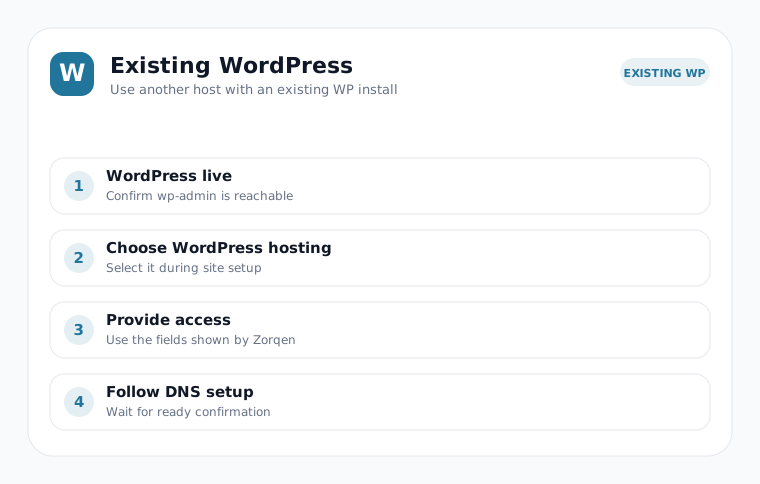
Connect Hostinger only when Zorqen will create a new managed hosting installation. To use a live WordPress website you already own, choose the existing WordPress option and provide authorized WordPress access; the site can remain on any hosting provider.

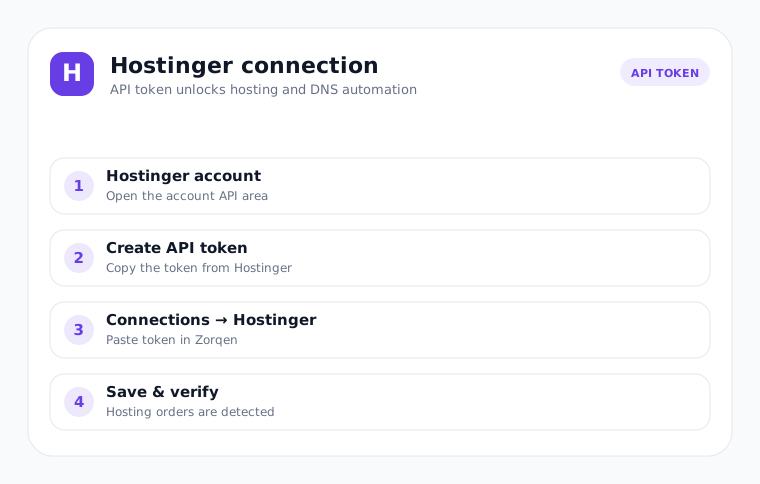
Hostinger API token connection flow

Save one verified token

  1. Create or copy an API token in Hostinger.
  2. Open Connections → Hostinger.
  3. Paste it and select Save & verify.
  4. Zorqen detects the hosting account and manages supported DNS setup automatically.
Automatic WordPress installation flow

WordPress is automatic

You do not need to install WordPress manually. Zorqen creates or detects the installation, saves administrator access securely and verifies the live admin or XML-RPC endpoint before it publishes anything.

If Hostinger returns a temporary response, Zorqen verifies the result and retries only the unfinished checkpoint.
Steps 03–04

Choose a focused website type and approve Canvas AI

New launches support Google AdSense Blog and Amazon Affiliate only. Studio offers ten distinct Canvas directions per type, locks the visible selection to WordPress and reuses an approved niche brief when the same request returns.

1Domain2Market3Design4Launch

From niche brief to verified website

  1. Enter the domain and confirm Hostinger + WordPress.
  2. Select country, content language and either Google AdSense Blog or Amazon Affiliate.
  3. Review ten type-specific Canvas directions. Amazon Affiliate shows buyer-guide, comparison and disclosure structure; AdSense Blog includes an original modern newspaper layout plus other editorial systems with masthead, trending, lead stories, category desks and separated ad positions.
  4. Generate or edit the professional DeepSeek brief. Its selection key keeps the chosen header, hero, typography, spacing, cards and modules immutable through compilation and rebuilds.
  5. Canvas keeps the masthead clean: an optional brand tagline is one sentence and no more than 72 characters. The website brief, positioning, audience and coverage details stay in the homepage introduction or About page—not the header.
  6. When the same normalized niche, market, language, type and Canvas return, Zorqen reuses the saved brief instead of spending AI tokens again.
  7. Choose AI keyword research or enter manual keywords, then review publishing.
  8. Zorqen compiles its own semantic WordPress theme and applies responsive container, accessibility, post hierarchy and mobile-collapse principles learned from inspected open-source references without copying theme code or branding.
  9. If DeepSeek omits one exact SERP/Canvas primitive, Zorqen keeps the generated design and adds only that missing useful module; it does not restart the full site or substitute a generic homepage.
  10. Media discovery uses rights-filtered Google CSE when configured, Wikimedia Commons and Openverse, then stores accepted files in WordPress. A homepage must have three licensed, subject-matched real photos and an article must have one.
  11. Abstract checkerboard or gradient fallback images are never published. If enough real photos cannot be verified, Zorqen stops before changing the live page and reports the exact real-image count after one bounded retry.
  12. AdSense builds publish About, Contact, Privacy, Terms, Disclaimer, Editorial Policy and Corrections Policy pages. Privacy content includes Google/AdSense cookie, partner-data and consent disclosures without claiming ads are already active.
  13. Empty ad placeholders stay hidden. A configured widget appears only in a separated area labeled Advertisement; navigation-ad proximity and automatic refresh patterns are not generated.
  14. The Websites card shows an evidence-based AdSense application-readiness score for live HTTPS, trust pages, privacy disclosure, five substantial unique launch articles, content safety and indexability. This is a Zorqen preflight—not an approval percentage or Google guarantee.
  15. After Google provides a publisher ID, add and verify its exact ads.txt record. Use a Google-certified consent management platform where regional consent rules apply.
  16. Amazon articles receive a responsive decision table with Check Price on Amazon links only when a valid site affiliate URL exists; prices and availability are never fabricated or cached.
  17. Design QA blocks Canvas drift, empty sections, duplicate destinations, repeated modules, unrelated images, broken alignment, fake proof and unsafe responsive layouts.
Design engine10 Canvas directions / typeSelection locked end to end.
Responsive checks390 · 768 · 1024 · 1440No horizontal overflow.
AI efficiencyPersistent brief reuseExact normalized requests use 0 new design-brief tokens.
Step 05

Use Technical SEO Manager

Every current project appears automatically. Working projects unlock their six verified tools as soon as the website is live; deleted projects and old jobs are removed automatically.

Six separate technical layers

  1. E-E-A-T Audit checks visible authorship, ownership, contact, editorial policy, structured identity and commercial transparency.
  2. Semantic Audit verifies unique search targets, niche alignment, focus keywords and editorial coverage.
  3. Robots.txt Analyzer reads the live crawler rules, blocking risks and sitemap declarations.
  4. Crawl Optimization runs bounded safe remediation, then recalculates crawl health.
  5. Crawl Visualizer maps the homepage, pages, articles and internal routes.
  6. Speed Optimization measures live response time, TTFB, payload, compression, caching and lazy media.
The manager is owner-scoped: there is no manual site import or second inventory to maintain.
×

Choose the deletion scope

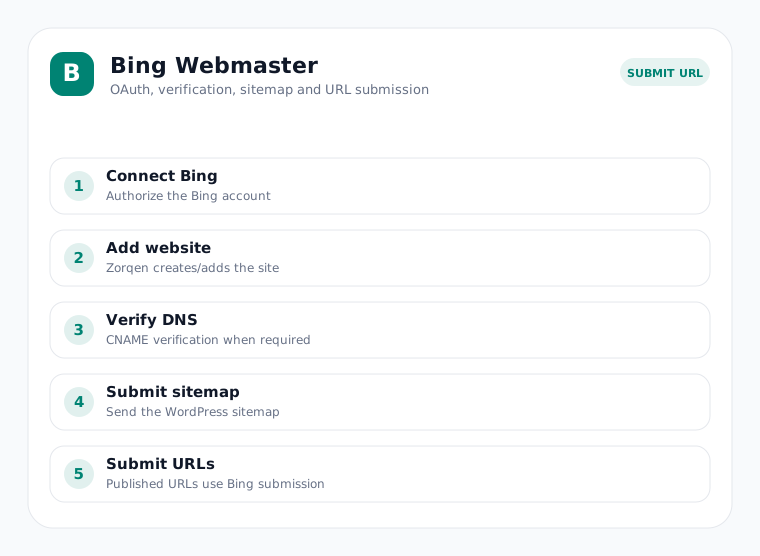
Remove from Zorqen only preserves Hostinger, WordPress, Google Search Console and Bing. Full deletion removes the Zorqen project, Hostinger backend and connected search properties; typing the exact domain is required.

Step 06

Find growth opportunities

Click Organic Growth Center in the sidebar to reveal five deterministic reports. The other sidebar groups remain collapsed so the navigation stays compact.

Five Organic Growth reports

  1. Search Opportunities ranks high-impression, low-CTR queries in positions 4–20.
  2. Keyword Cannibalization finds queries targeted by competing pages and identifies the strongest URL.
  3. Internal Links maps site links, finds orphan pages and suggests locally matched placements.
  4. Content Decay compares the latest 28 days with the prior 28 days.
  5. CTR Experiments stores a baseline and compares title/meta changes against later Search Console CTR.
These five checks are deterministic and each completed report records “This check used 0 AI tokens.”
Step 07

Protect SEO changes

Open SEO Control Center only when you need its tools. Reports remain isolated to the selected website and refresh weekly for active automation-enabled sites.

Five SEO Control reports

  1. Index Coverage compares managed URLs, sitemap membership and Google URL Inspection evidence.
  2. 404 & Redirects detects broken destinations, redirect chains and likely valid replacements.
  3. Schema Manager validates supported Article, Product, Organization, Breadcrumb and WebSite JSON-LD.
  4. SEO Change Guard detects unexpected title, canonical, robots, schema and sitemap drift.
  5. Image SEO Center checks sources, alt text, dimensions, size hints and lazy loading.
The compact sidebar keeps all three tool groups collapsed until selected. The customer-facing AI budget panel has been removed, while all ten Growth and Control reports continue to use zero AI tokens.
Technical6 toolsLive diagnostics.
Growth + control10 toolsDeterministic checks.
Total16 toolsOne site inventory.
Step 08

Manage keywords and articles

The Keywords & Articles sidebar page turns AI research into an editable publishing plan for each website.

From researched keyword to live URL

  1. Select the website to see every AI-researched or manually entered keyword.
  2. Add a keyword with + Add keyword, or use Edit and Delete on any unpublished row.
  3. Zorqen keeps the saved plan and publishing queue synchronized. Duplicate keywords are blocked per website.
  4. Once an article is published, the row shows its final title and a clickable live link. That keyword is locked to protect its publication history.
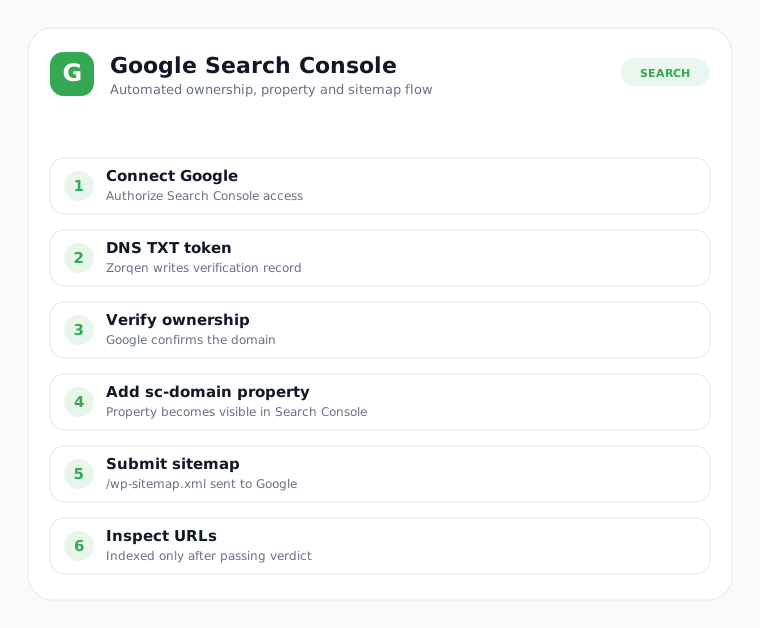
  5. Read separate Publish, Google, Bing and IndexNow status columns. Google shows Indexed only after a passing URL Inspection verdict.
Step 11

Understand website statuses

Status text describes the current verified checkpoint, not a guessed success state.

Pending DNSApply the exact nameservers shown. Zorqen checks again automatically.
ProvisioningWordPress, Canvas theme, pages, supported plugins and SEO are being prepared.
ActiveThe public WordPress website passed launch and design verification.
RetryingA temporary provider failure is waiting for a safe checkpoint retry.
IndexedGoogle inspection returned a passing indexed verdict.
Optional

Amazon affiliate setting

For an Amazon Affiliate website, add or update the affiliate URL from website settings. Zorqen applies supported sponsored-link attributes and never invents ratings, prices, tests or stock claims.

A

Keep commercial content transparent

Use a valid Amazon destination, show the affiliate disclosure and verify live offer details on Amazon. Zorqen’s Canvas comparison layouts prioritize buying criteria and context before commercial actions.

Existing WordPress connection recovery — v3.43.10

Verified WordPress credentials now remain saved when a project is created and after restart.

If an existing project reports missing WordPress credentials

  1. Deploy the updated single-app package, preserving your database, runtime data and APP_ENCRYPTION_KEY. Restart the app and refresh the browser.
  2. Open Websites and choose Reconnect WordPress on the affected card, or find it under More actions.
  3. Enter that website's WordPress username and password or Application Password, then choose Verify & save connection.

Initial setup continues from saved checkpoints when billing is active. Do not delete the project, create a duplicate or use a full rebuild to restore credentials. Existing posts, schedules and the selected Preserve/Redesign mode are retained. Paused automation stays paused until you press Resume; active websites are not rebuilt. Failed verification leaves the previous connection untouched.

Old credentials erased by the earlier save bug cannot be recovered automatically. Enter them once through this protected form; do not share them in chat.

Current plans and WordPress connections

Pay per site: PKR 1,000 per website per month. Starter BYO DeepSeek: PKR 3,000 per month for up to 15 websites. Pro BYO DeepSeek: PKR 6,000 per month for up to 50 websites. BYO DeepSeek usage is charged separately by the API provider.

Connect your existing website

Select Attach my already-installed WordPress website, enter the live domain and WordPress credentials, and choose to keep the design or redesign it. Hostinger access and nameserver changes are not required for attached websites. WordPress must allow authenticated automation requests. To resume an older failed project, use Rebuild; if credentials are missing, use Reconnect WordPress first.

Billing

New site charges, manual renewals and free-trial upgrades use PKR 1,000. Existing wallet balances and past payments are preserved. Live PayFast checkout remains unavailable until merchant verification is complete.

Earlier release: affiliate content, PKR and payment setup

Zorqen v3.43.9 keeps the single-app deployment model. No additional worker service is required.

Amazon comparison tables

New Amazon articles request ten named, topic-relevant products and source URLs. The backend renders Product, Price and Amazon columns with one “Check Price on Amazon” link per product. If research supports fewer than ten, the table shows that actual count instead of invented products. Numeric prices are not displayed without an approved live-pricing integration. Configure an Amazon URL containing your own tracking tag; product searches are labelled when no direct listing is known.

Compact disclosure and different featured images

New Canvas homepages use one readable disclosure line instead of disclosure cards. Article media checks prior published records, WordPress featured attachments, source URLs, resized variants and stored image hashes before selecting a photograph. Lack of a unique licensed match is reported honestly; the app does not generate an abstract substitute.

PKR pricing and balances

Public pricing and wallet amounts are displayed in PKR using a fixed billing reference of 277.4235 PKR per USD, based on the SBP M2M rate dated 3 September 2026. This is not a live exchange-rate quote. The operator can configure BILLING_PKR_PER_USD before deployment. Existing balances remain in their original accounting units; this update does not rewrite the ledger or existing subscriptions.

PayFast merchant settings

Administrators can save the Pakistan PayFast merchant ID, merchant name, secured key and sandbox/live environment under Integrations. The secured key is encrypted and is never returned to the browser. The payment protocol could not yet be verified from official documentation, so hosted checkout and automatic credits are disabled. Do not send payments to retired Easypaisa/JazzCash numbers. Saving credentials alone does not enable payments.

Free backlink indexer

The Free Backlink Indexer works independently of your managed websites and permits 50 URLs per account per UTC day across all batches. A successful response is not proof of Google indexing.

Safe update

Back up the app data and WordPress before deploying. Restart the same app. Existing articles, schedules and checkpoints are not reset. The new article table and image selection apply to future posts; existing posts are not bulk rewritten. Existing homepages need an explicit design update before their large disclosure section changes. Read the Service Policy and use the in-app support conversation if you need help.